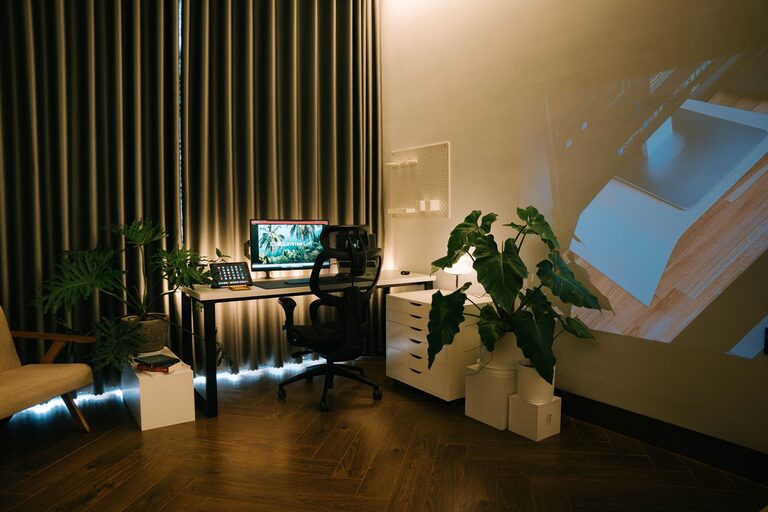
Creating an organized and productive home workspace is essential for anyone working remotely or managing tasks from home. A well-designed workspace can improve focus, reduce stress, and help maintain a healthy work-life balance. Whether you have a dedicated room or a small corner to work with, these tips will help you create an environment where you can thrive professionally and personally.
Choose the Right Location
Consider Natural Light and Noise Levels
The first step is to pick a spot with plenty of natural light if possible. Sunlight boosts mood and energy, making work feel less tiring. Also, think about noise. Try to set up your workspace away from noisy areas like the kitchen or living room to minimize distractions.
Make Space for Movement
Ensure your workspace allows some room to move around. Sitting in one position all day can cause discomfort. If possible, consider a setup that allows you to stand or stretch occasionally.
Invest in Comfortable and Functional Furniture
Select an Ergonomic Chair
Comfort is key when you spend hours working. Choose a chair that supports your back well, encourages good posture, and adjusts to your height. This helps prevent discomfort and fatigue.
Opt for a Suitable Desk
Your desk should be large enough for your computer, documents, and any tools you need. A tidy, uncluttered work surface improves productivity and reduces stress.
Organize Your Supplies Effectively
Use Storage Solutions
Use shelves, drawers, or filing cabinets to keep things organized. Label containers or files to quickly find items and reduce clutter on your desk.
Keep Only Essentials Within Reach
Limit the items on your desk to daily necessities. Extra supplies can be stored nearby but out of sight to avoid distractions.
Establish a Functional Setup
Arrange Your Technology Thoughtfully
Position your computer monitor at eye level and about an arm’s length away. Connect your keyboard and mouse comfortably to keep your wrists relaxed. Manage cords with clips or cable organizers to keep the area neat.
Incorporate Adequate Lighting
Good lighting reduces eye strain. Use a combination of natural light and task lighting, such as a desk lamp, to brighten your workspace evenly.
Create a System for Managing Tasks
Use a Planner or Digital Tools
Organize your workday with a planner, calendar, or a productivity app. Writing down tasks helps keep you accountable and reduces the chance of forgetting important deadlines.
Declutter Regularly
Set aside time at the end of each day or week to tidy your workspace. Clearing used papers, organizing files, and wiping surfaces help maintain a fresh environment.
Personalize Your Space Thoughtfully
Add Inspiring Elements
Personal touches like plants, artwork, or photographs can make your workspace more inviting and reduce stress. Keep decorations minimal to avoid distraction.
Maintain a Clean and Calm Environment
Avoid overcrowding your workspace with unnecessary items. A clean environment fosters clear thinking and creativity.
Promote Healthy Work Habits
Take Scheduled Breaks
Use timers or apps to remind yourself to take regular breaks. Stretching or walking for a few minutes every hour can improve circulation and focus.
Hydrate and Snack Wisely
Keep a water bottle nearby to stay hydrated throughout the day. Choose healthy snacks to maintain energy without a sugar crash.
Optimize for Flexibility
Adapt Your Workspace When Needed
As your work or home routine changes, be willing to adjust your setup. Sometimes a new arrangement can improve comfort and productivity.
Consider Portable Solutions
If space is limited, use portable desks or lap desks that let you work from different locations in your home.
—
Creating a productive home workspace doesn’t require a large budget or a special room. With careful planning, attention to comfort, and strategies to stay organized, you can make a space that helps you perform your best and feel your best every workday. Start small by implementing a few of these tips and build up your ideal work-from-home environment step by step.