
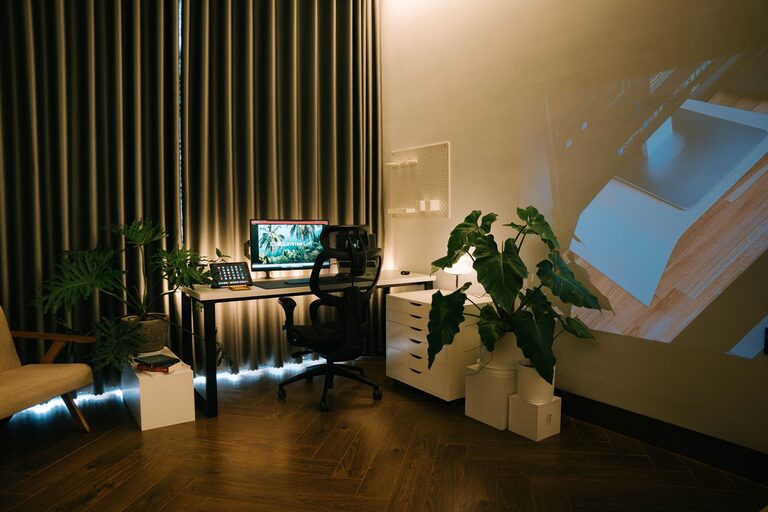
Creating a cozy and productive home workspace is essential in today’s world where many people work remotely or spend more time at home. A well-designed workspace can improve your focus, creativity, and overall comfort. Whether you have a dedicated room or just a small corner, making your workspace inviting and functional doesn’t have to be complicated. Here are some helpful tips to guide you in crafting the perfect setup.
Choose the Right Location
Consider Natural Light
Natural light can enhance mood and reduce eye strain. If possible, set up your workspace near a window to take advantage of daylight. However, avoid direct glare on your screen by positioning your desk perpendicular to the window.
Minimize Distractions
Pick a quiet area in your home where you can minimize interruptions and noise. If this isn’t possible, consider noise-cancelling headphones or white noise machines to help maintain focus.
Invest in Comfortable and Functional Furniture
Select an Ergonomic Chair
A supportive chair that promotes good posture is key. Look for adjustable options that support your lower back and allow your feet to rest flat on the floor.
Opt for a Suitable Desk
Choose a desk with enough surface area to hold your essentials—computer, notepads, and a lamp—without feeling cluttered. Standing desks or adjustable desks can offer flexibility and encourage movement.
Organize for Efficiency
Declutter Your Workspace
Keep only essential items on your desk and find smart storage solutions for the rest. Decluttering can reduce distractions and create a visually calming space.
Use Organizers and Storage
Drawer organizers, shelves, and filing systems help keep documents and supplies neat and accessible. Labeling storage bins or files can save time searching for items.
Add Cozy Elements
Choose Soothing Colors
Soft, neutral colors like pastels, beige, or light gray can create a calm and welcoming environment. If you prefer brighter hues, incorporate them sparingly through accessories.
Incorporate Textures and Soft Materials
A cushioned chair pad, a soft rug, or cozy throw blankets add warmth and comfort to your workspace, making it more inviting.
Personalize with Plants and Artwork
Indoor plants improve air quality and boost mood. Simple artwork, photos, or motivational quotes can make your space feel personalized and inspiring.
Optimize Lighting
Layer Your Lighting
Combine natural light with ambient and task lighting. A good desk lamp with adjustable brightness is ideal for reading and focused work after dark.
Avoid Harsh Fluorescent Lights
If possible, replace overly bright ceiling lights with softer, warm-toned bulbs to reduce eye strain and create a cozy atmosphere.
Technology and Connectivity
Use Reliable Equipment
Ensure your computer, internet connection, and other equipment are reliable to prevent frustration and interruptions.
Manage Cables Neatly
Use cable organizers or clips to keep wires tidy and avoid clutter. This simple step can make your workspace look more organized and streamline your daily routine.
Incorporate Break and Movement Spaces
Take Regular Breaks
Set reminders to stand, stretch, or take short walks throughout the day. Breaks can refresh your mind and reduce physical tension.
Include Nearby Areas for Relaxation
If possible, create a small space near your workstation where you can relax briefly or do light stretches.
Maintain a Routine
Set Regular Hours
Establish work hours that separate professional time from personal time. This routine helps create a work-life balance, even when working at home.
Keep Your Workspace Tidy Daily
A quick tidy-up at the end of each day keeps your workspace inviting for the next session and improves productivity.
—
Creating a cozy and productive home workspace is about blending comfort, functionality, and personal style. By choosing the right location, investing in comfortable furniture, adding personal touches, and staying organized, you can enjoy a space that supports your work and wellbeing. Small adjustments can make a big difference in how energized and focused you feel during your workday.